

Before you start
- Set up open play. See Run open play sessions.
- Turn on Open Play Queue: go to Settings, Business, then Features, turn on Open Play Queue under Booking, and select Save. It needs Open Play and Classes. See Turn features on and off.
Turn on the line for an open play
1
Open the open play
In the menu, go to Catalog, then Open Play, and select the open play.
2
Turn on the queue
Under Queue, turn on Run a queue for this open play.
3
Choose the rotation
Under Rotation, choose Everyone off (all four come off after each game) or Winners stay (winners stay on and split up). With Winners stay, choose how many games in a row under Winners can stay for.
4
Choose who records the winner
Under Who records the winner, choose Players and staff or Staff only.
5
Choose what the screen shows
Turn on Show names on the screen to show each player’s first name and last initial. Off shows player numbers instead.
6
Save
Select Save. Every session of this open play now has a line.
Run the line at the desk
1
Open today's session
In the menu, go to Open Play Queue. Today’s sessions show with how many are booked and in line. Select one to open its desk screen.
2
Show the line on a TV
Select Show on a TV on a computer connected to your venue’s screen, then Full screen. The TV shows each court’s game, who is up next, and a QR code players scan to join.
3
Let players join
Players scan the code on the TV, or a link you share with Copy join link, and select Join the line. Under Not in line, select Add to line for anyone booked who has no phone with them.
4
Record results
When a game ends, players select We won or We lost on their phone, or you select A won or B won on the court’s card. The next four go on that court.
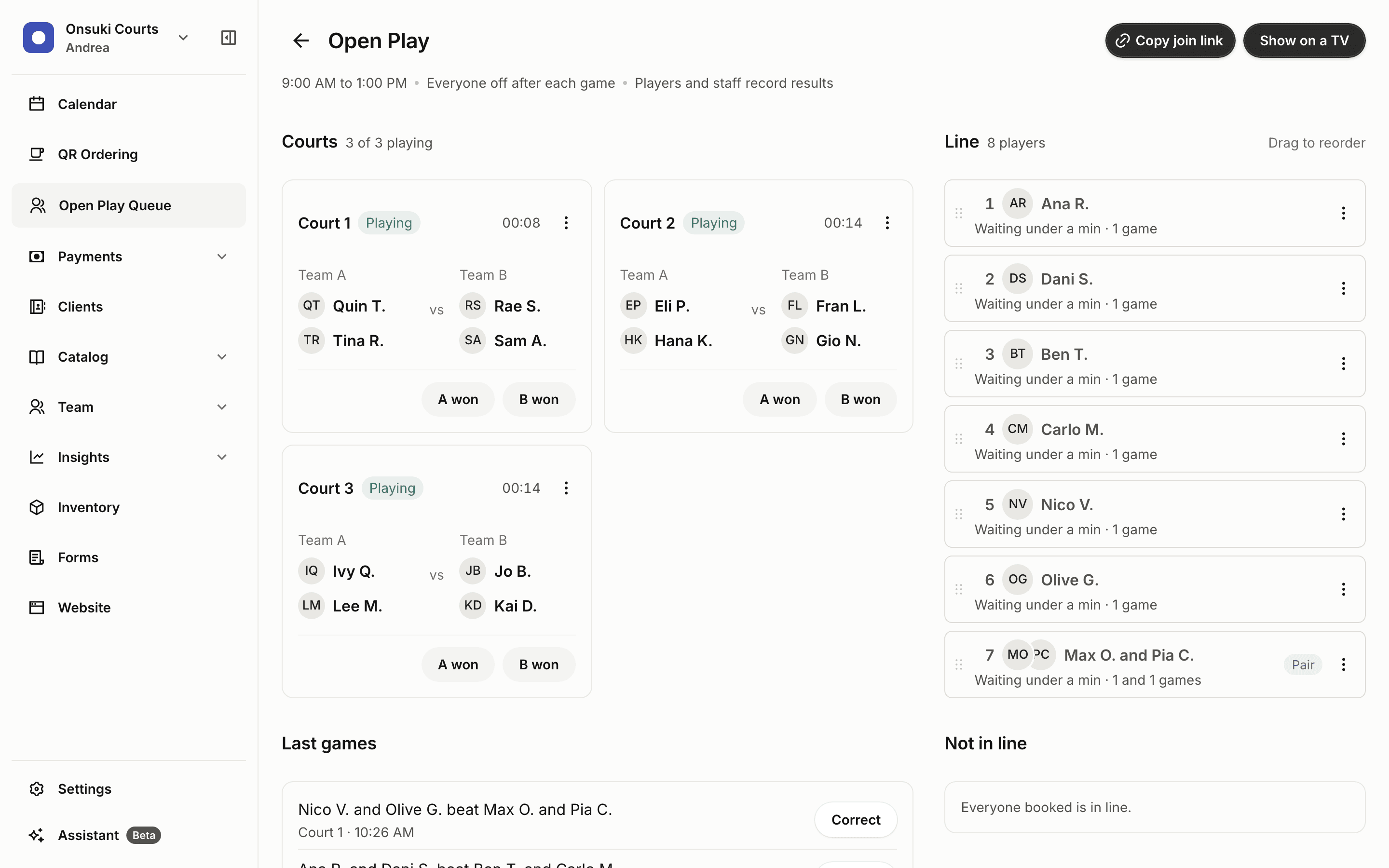
The desk screen for an open play session
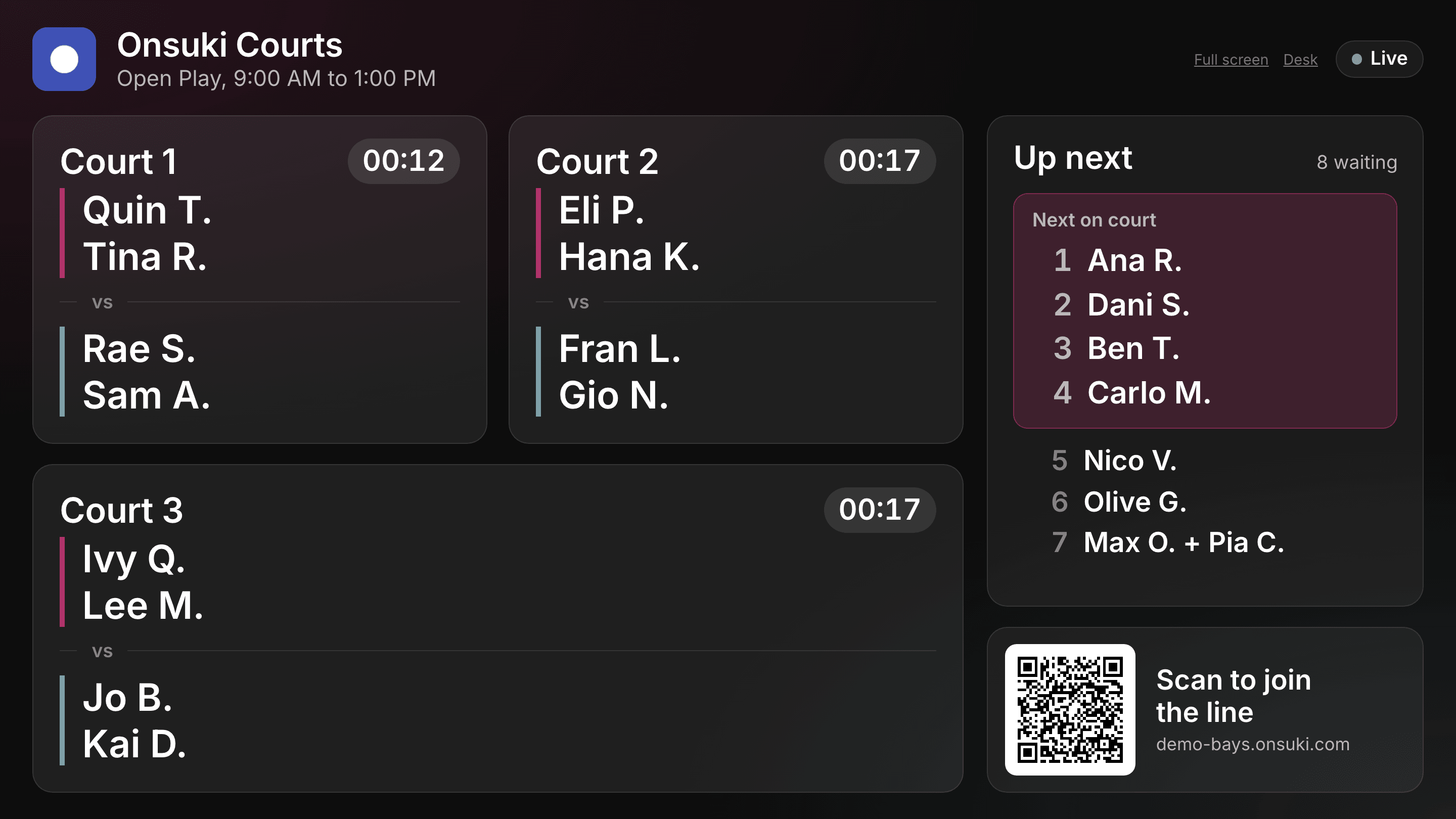
The line on a TV at the venue
How the line works
- Players join only at your venue, and only if they have a place booked in the session. A player who isn’t booked is asked to book a place first.
- Players can join with a partner: one shows their code, the other enters it under Pair up. A pair is always called together.
- Players can take a break and come back to the same place, or leave the line.
Good to know
- The desk reorders the line; Onsuki picks who plays next. There’s no way to pick four by hand.
- A player on a court can’t leave or take a break until the game ends.
- The TV page needs someone signed in on that computer. Keep the desk screen open on a tablet at the counter.
- The line never changes a booking, a payment or the roster. Mark who came and take payment on the session’s roster as usual.