

Before you start
- Book a place in the session first. See Join open play.
- Sign in with the email you booked with.
Join the line
1
Scan the code
At the venue, scan the QR code on the TV or at the counter.
2
Enter your name
Under Your name on the screen, enter the name the TV should show.
3
Join
Select Join the line. Your phone shows your place in line and the courts.
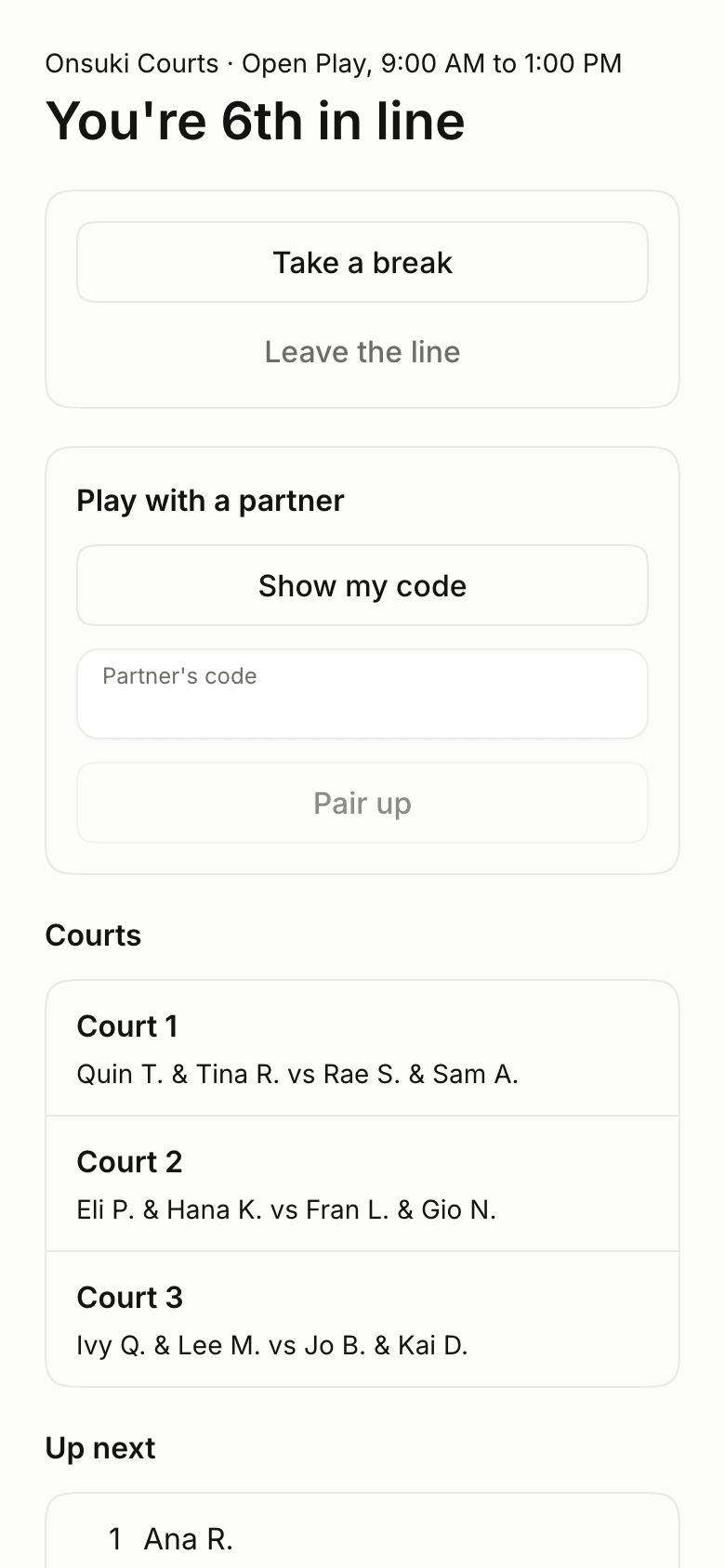
Your place in the line on a phone
When you’re up
Your phone shows You’re up and the court to go to. When the game ends, select We won or We lost. At some venues, the desk records who won instead.Take a break or leave
Select Take a break to step out and keep your place, then Back in line when you’re ready. Select Leave the line when you’re done. You can’t do either while you’re on a court.Good to know
- You can join only at the venue, with a place booked in that session. If you’re asked to book a place, book it first.
- The TV shows the name you entered, unless the business shows player numbers instead.
- Leaving the line doesn’t cancel your booking or change what you paid.