

Edit the profile
1
Open the person
In the menu, go to Team and select the person.
2
Open Profile
Select the Profile tab.
3
Add a photo
Under Photo, upload a picture of them. A clear, square photo of their face works best.
4
Add a title and bio
Enter a Title, such as “Senior stylist”, up to 60 characters. Write a short Bio, up to 1,000 characters.
5
Save
Select Save.
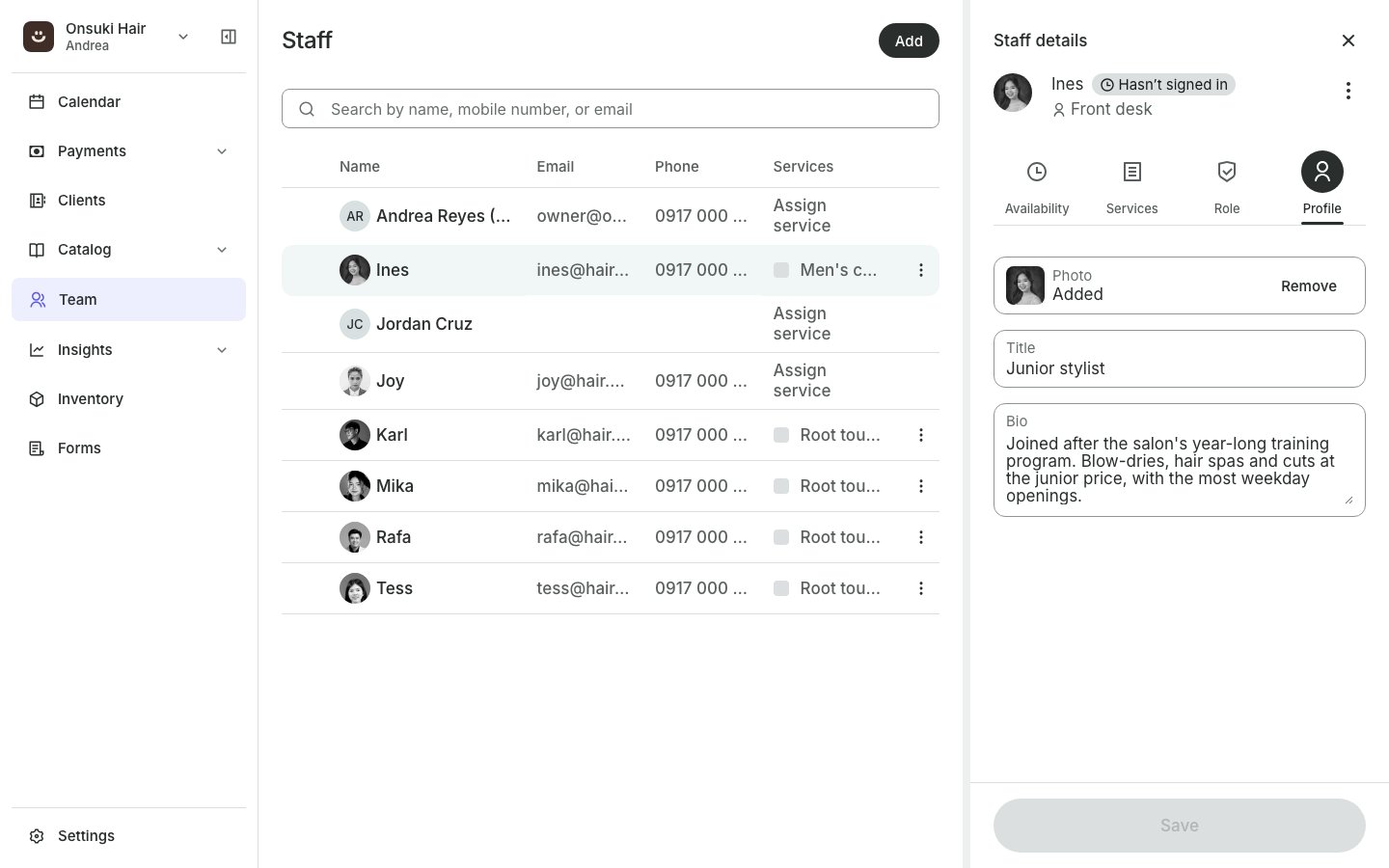
A team member's Profile tab
Good to know
- Anyone can edit their own profile: select your name under Team or My Schedule.
- If the person has a staff level, your booking site shows the level as their title instead of the Title you typed. See Set up staff levels.
- If a photo won’t upload, try a smaller JPEG or PNG.
- Your own name, email and sign-in photo are in Settings. See Update your name, email and photo.