> ## Documentation Index
> Fetch the complete documentation index at: https://help.onsuki.com/llms.txt
> Use this file to discover all available pages before exploring further.
# See your payments
> Every payment you've made to the business, with its reference.
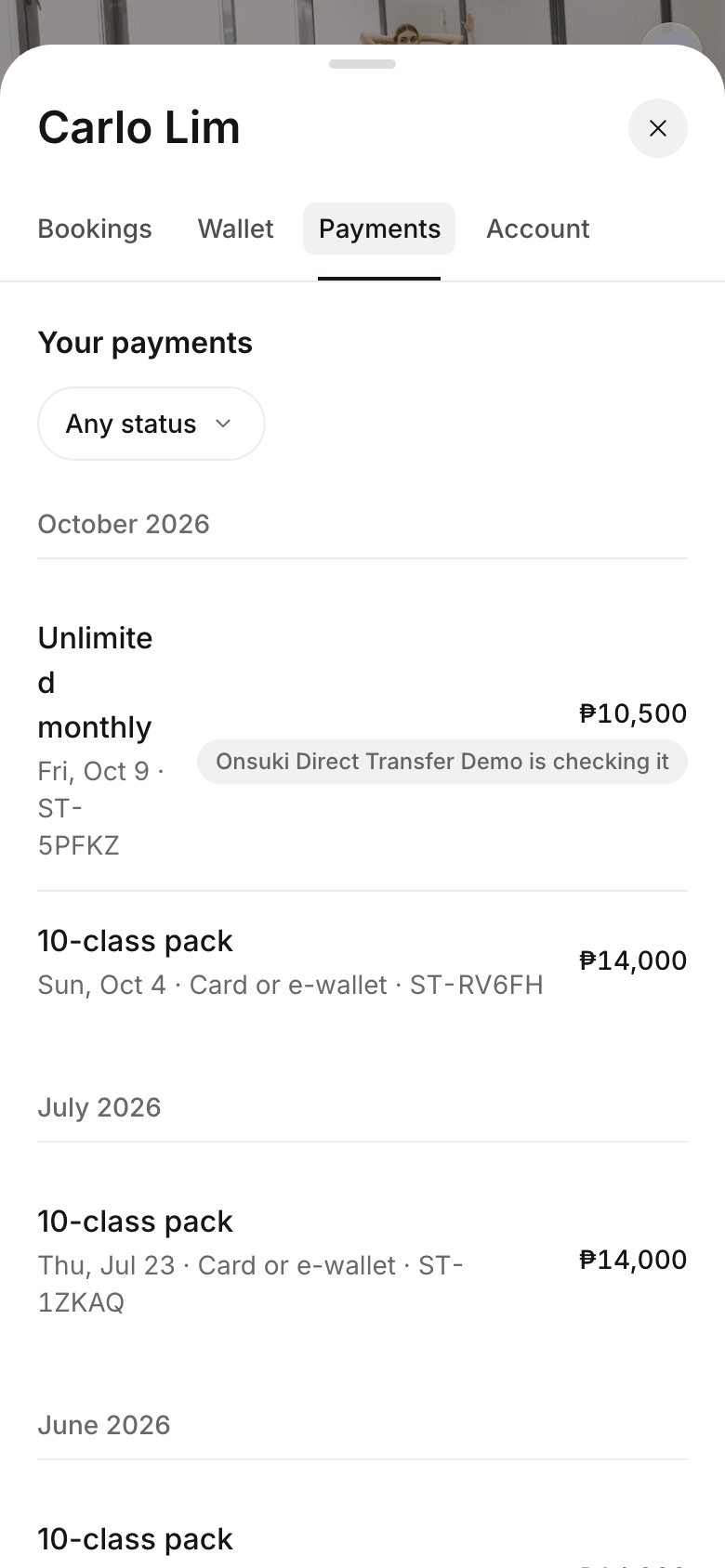
The **Payments** tab in your account lists everything you've paid for at the business, with each payment's reference and status.
## Open a payment
Sign in on the business's booking site, select your photo or initials at the top, then select the **Payments** tab.
Payments are listed by month. To find one, filter by status, for example payments the business is still checking.
Select a payment to see what it was for, how you paid, the reference, and the receipt you sent if you paid by transfer.
 ## Save a receipt
On a payment, select **Print or save as PDF**. This is not an official receipt; if you need one, ask the business.
## Good to know
* A payment the business is checking says so. If they turned down your receipt, the payment says **Turned down**, and you can select **Send another receipt**.
* A payment that isn't finished has **Finish paying**. See [Pay what you owe](/customers/paying/pay-what-you-owe).
* A refunded payment shows the amount refunded. For a question about a refund, [contact the business](/customers/contact-the-business).
* Give the reference when you contact the business about a payment.
## Related articles
* [Pay by GCash, QR Ph or bank transfer](/customers/paying/pay-by-gcash-or-qr-ph)
* [Pay what you owe](/customers/paying/pay-what-you-owe)
This documentation is built and hosted on [Mintlify](https://mintlify.com), a developer documentation platform.
## Save a receipt
On a payment, select **Print or save as PDF**. This is not an official receipt; if you need one, ask the business.
## Good to know
* A payment the business is checking says so. If they turned down your receipt, the payment says **Turned down**, and you can select **Send another receipt**.
* A payment that isn't finished has **Finish paying**. See [Pay what you owe](/customers/paying/pay-what-you-owe).
* A refunded payment shows the amount refunded. For a question about a refund, [contact the business](/customers/contact-the-business).
* Give the reference when you contact the business about a payment.
## Related articles
* [Pay by GCash, QR Ph or bank transfer](/customers/paying/pay-by-gcash-or-qr-ph)
* [Pay what you owe](/customers/paying/pay-what-you-owe)
This documentation is built and hosted on [Mintlify](https://mintlify.com), a developer documentation platform.