> ## Documentation Index
> Fetch the complete documentation index at: https://help.onsuki.com/llms.txt
> Use this file to discover all available pages before exploring further.
# Change the time of a booking
> Move an appointment, a court booking or a class to another time.
You can move a booking to another time yourself while it can still be canceled for free. How you paid moves with it, and nothing more is charged.
## Move an appointment or a court booking
Sign in on the business's booking site and select your photo or initials at the top.
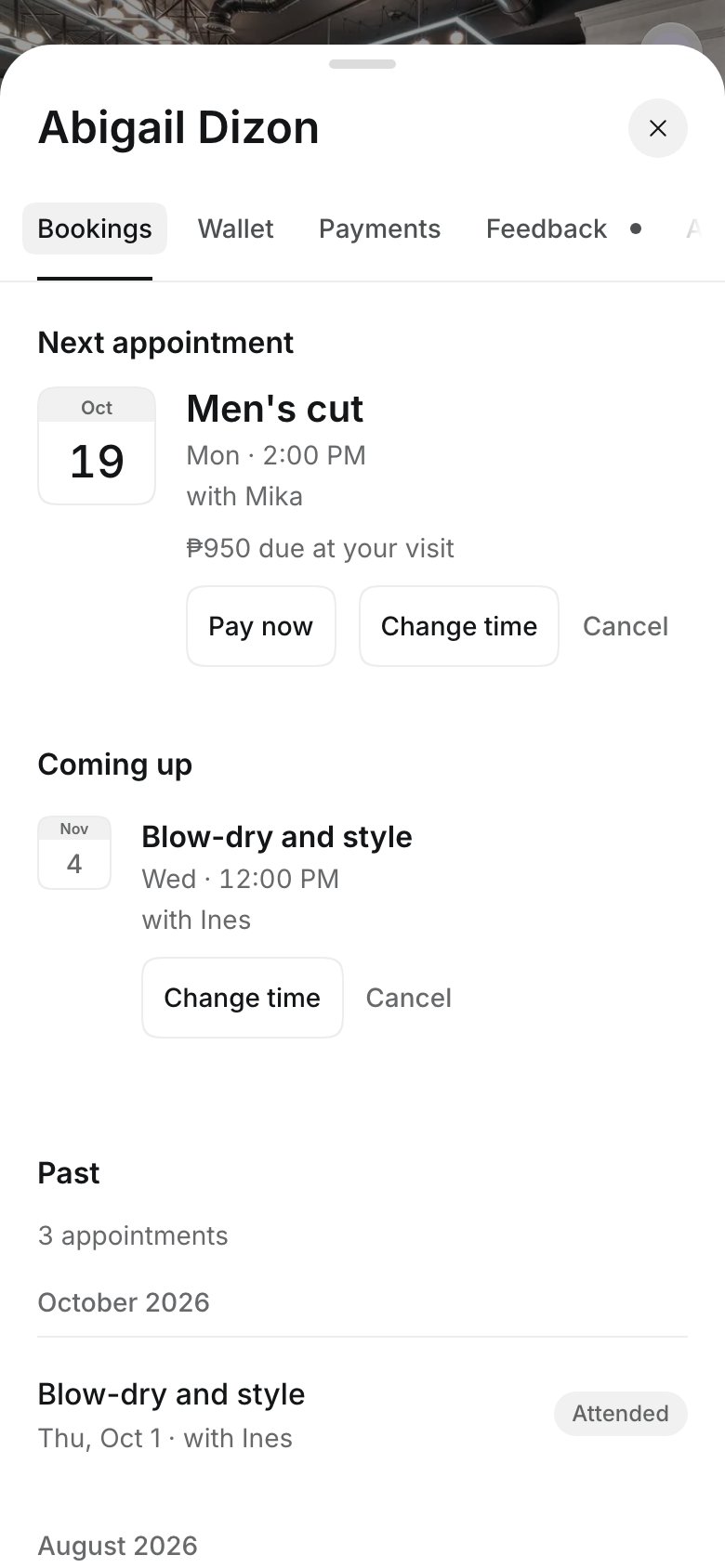
On the **Bookings** tab, select **Change time** on the booking.
Choose a day and a new time. The page says "Only the time changes. Nothing more to pay now."
Select **Move appointment**. For a court booking, select the button at the bottom.
## Move a class to another time
On the **Bookings** tab, select the class's name.
Select **Move to another time**, then choose a class under **New time**.
Select **Move booking**. Your spot and how you paid move with you.
 The business is told, and you get an email with the new time.
## Good to know
* **Change time** shows only inside the free cancellation time. After that, you can still cancel (with what it costs), or [contact the business](/customers/contact-the-business) to move it.
* A class shows **Move to another time** only when the same class runs again in the next four weeks with room for you. Classes where you picked your own spot can't be moved this way: cancel and book again, or contact the business.
* If the business moves your booking, you get an email with the new time.
## Related articles
* [Cancel a booking](/customers/your-account/cancel-a-booking)
* [See your bookings](/customers/your-account/see-your-bookings)
This documentation is built and hosted on [Mintlify](https://mintlify.com), a developer documentation platform.
The business is told, and you get an email with the new time.
## Good to know
* **Change time** shows only inside the free cancellation time. After that, you can still cancel (with what it costs), or [contact the business](/customers/contact-the-business) to move it.
* A class shows **Move to another time** only when the same class runs again in the next four weeks with room for you. Classes where you picked your own spot can't be moved this way: cancel and book again, or contact the business.
* If the business moves your booking, you get an email with the new time.
## Related articles
* [Cancel a booking](/customers/your-account/cancel-a-booking)
* [See your bookings](/customers/your-account/see-your-bookings)
This documentation is built and hosted on [Mintlify](https://mintlify.com), a developer documentation platform.