> ## Documentation Index
> Fetch the complete documentation index at: https://help.onsuki.com/llms.txt
> Use this file to discover all available pages before exploring further.
# Merge two client profiles
> Combine a duplicate profile into the one you keep.
export const WhoCanDoThis = ({permission, feature, plan, devices}) => {
const rows = [];
if (permission) rows.push(["Who can do this", `Owners, and anyone with the ${permission} permission`]);
if (feature) rows.push(["Feature", `${feature}, turned on in Settings, Business, Features`]);
if (plan) rows.push(["Plan", `${plan} and above`]);
if (devices) rows.push(["Works on", devices]);
if (!rows.length) return null;
return
{rows.map(([label, value]) =>
{label}: {value}
)}
;
};
If the same person ended up with two profiles, merge them. Everything moves to the profile you keep, and the duplicate is deleted.
## Merge the profiles
In the menu, go to **Clients** and select the profile you want to get rid of.
Select the three dots at the top of the profile, then **Merge client**.
Under **Merge into**, search for and choose the client to keep.
Select **Merge client**.
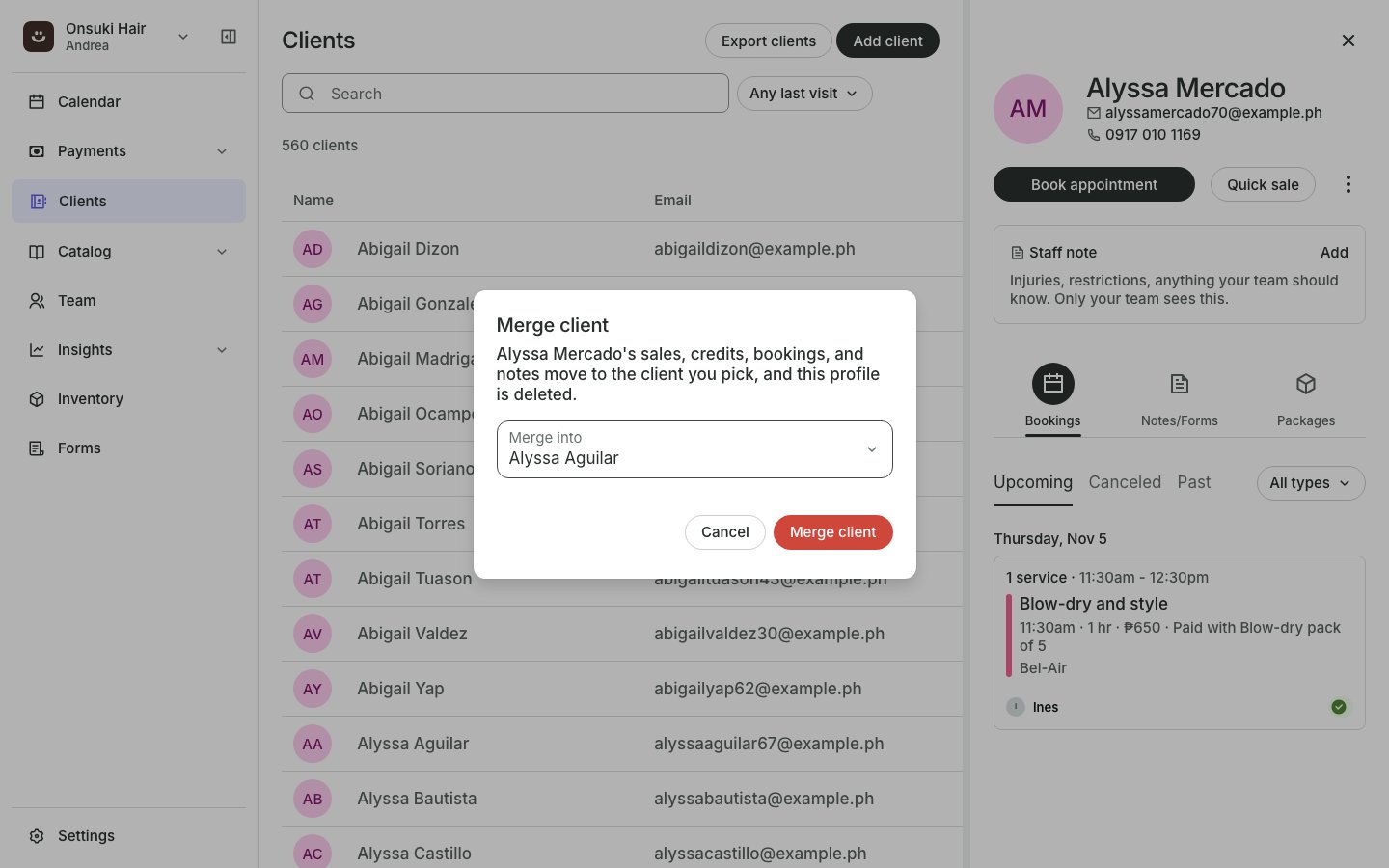 You see "Merged into" and the kept client's name, and their profile opens.
## What happens
* Sales, credits, bookings and notes from the duplicate move to the kept client. Package credits add up.
* The duplicate's email, mobile number, birthday and photo fill in only what the kept client is missing.
* The duplicate's staff note is added to the kept one.
* The duplicate profile is deleted. This cannot be undone.
## Good to know
* If both profiles sign in on their own, they're two different people, and Onsuki won't merge them.
* If both are booked into the same class or appointment, Onsuki won't merge them and says so. Cancel one booking first.
## Related articles
* [Add a client](/business/clients/add-a-client)
* [Delete a client](/business/clients/delete-a-client)
This documentation is built and hosted on [Mintlify](https://mintlify.com), a developer documentation platform.
You see "Merged into" and the kept client's name, and their profile opens.
## What happens
* Sales, credits, bookings and notes from the duplicate move to the kept client. Package credits add up.
* The duplicate's email, mobile number, birthday and photo fill in only what the kept client is missing.
* The duplicate's staff note is added to the kept one.
* The duplicate profile is deleted. This cannot be undone.
## Good to know
* If both profiles sign in on their own, they're two different people, and Onsuki won't merge them.
* If both are booked into the same class or appointment, Onsuki won't merge them and says so. Cancel one booking first.
## Related articles
* [Add a client](/business/clients/add-a-client)
* [Delete a client](/business/clients/delete-a-client)
This documentation is built and hosted on [Mintlify](https://mintlify.com), a developer documentation platform.